This guide compares Yealink and Grandstream IP phones for Australian business deployments, based on real-world provisioning experience, AU market pricing, and compatibility with Australian cloud phone system platforms. By the end, you'll know which brand suits your setup, how the key models stack up head-to-head, and which common mistakes to avoid when buying handsets for a VOIP system.
Quick Verdict
Pros
- Yealink: Available through an authorised Australian reseller network and listed by 3CX as a preferred supported phone family. Provisioning support is provider- and model-specific; 3CX lists current Yealink ranges as preferred and Grandstream GRP/GXP ranges as supported with limitations. Easier managed deployments for MSPs and providers. Consistent firmware quality.
- Grandstream: Strong challenger at the mid and budget tiers. Slightly better value per dollar at the budget end. Broad product ecosystem including ATAs, IP cameras, and conference endpoints.
Cons
- Yealink: Slightly higher price point than Grandstream at each tier. Fewer ATA and camera products if you need a unified hardware ecosystem.
- Grandstream: Configuration requirements vary by provider and model: MaxoTel auto-provisions Yealink and Grandstream GRP phones, while older or unsupported models may require manual setup. Auto-provisioning templates less universally available.
Quick Comparison
Yealink vs Grandstream: Key Metrics
| Yealink | Grandstream | |
|---|---|---|
| AU market position | Established IP-phone brand with authorised Australian resellers | Strong challenger, especially mid-range |
| Build quality | Excellent, very consistent across range | Good, some variation between product lines |
| Budget tier pricing (AU) | T31P ~$80-100 | GXP1628 ~$90-110 |
| Mid-range pricing (AU) | T46U ~$260-310 | GXP2160 ~$170-205 |
| Premium tier pricing (AU) | T57W ~$400-470 | GXP2200 ~$140-170 |
| AU provider provisioning | Auto-provisioning templates widely available | Manual config often required |
| 3CX compatibility | Fully supported, templates included | Supported with limitations; current GRP/GXP series can be provisioned, while EOL Grandstream GXP phones are manual-only. |
| Firmware update frequency | Regular, predictable release cycle | Less consistent |
| AU warranty | 12 months standard, some resellers offer 24m | 12 months standard |
| DECT/cordless range | W73P, W76P and other current W70B-based packages (W52P and W56P discontinued) | DP series (DP720, DP750) |
| Conference phones | CP925, CP965 (CP920 and CP960 discontinued 2022) | GAC2500 |
| ATAs available | Limited | HT series (HT801, HT802, HT812) |

Yealink in Australia: Overview
Yealink is an IP phone brand available to Australian small and medium businesses. T-series handsets are sold by authorised Australian resellers. 3CX supports current T3/T4/T5 models, MaxoTel offers Yealink auto-provisioning, and FreePBX auto-provisioning for supported third-party phones uses its commercially licensed Endpoint Manager.
The T-series covers three tiers. The T3x series (T31, T31P, T31G) is the budget entry point, suited to basic call-taking with up to 2 lines. The T4x series (T43U, T46U, T48U) is the workhorse mid-range, covering most office desk deployments with colour displays, PoE support, and Gigabit ethernet. The T5x series (T54W, T57W) is the premium line, though display type varies: the T54W has a 4.3-inch non-touch colour display, while the T57W has a 7-inch touchscreen with Bluetooth and Wi-Fi built in, suited to reception desks and power users. The T58A was discontinued in March 2022.

AU pricing (check current price with your reseller): T31P ~$80-100, T43U ~$200-240, T46U ~$260-310, T54W ~$280-330, T57W ~$400-470. Yealink is manufactured in China and distributed in Australia through authorised channels. Buy from a genuine AU reseller, not direct grey imports, to ensure warranty support.
Yealink's main advantage for Australian deployments is provisioning ease. Most AU cloud phone system companies maintain auto-provisioning templates for the T-series, meaning phones can be configured remotely by the provider with minimal on-site intervention. For businesses using a managed service, this is significant. Phone setup becomes a provider task, not something you have to figure out yourself.
Grandstream in Australia: Overview
Grandstream is a strong alternative to Yealink, particularly at the budget and mid-range tiers. Its GXP series covers similar ground to Yealink's T-series: the GXP1600 series (GXP1620, GXP1628) sits at the budget end, the GXP2100 series (GXP2135, GXP2160, GXP2170) covers mid-range and power users, while the GXP2200 is an end-of-life model and should not be treated as a current enterprise option.
If you are also considering Poly (formerly Polycom), our Poly VVX vs Yealink comparison gives a direct head-to-head.
AU pricing (indicative, check with your reseller): GXP1628 ~$90-110, GXP2135 ~$120-145, GXP2160 ~$170-205, GXP2170 ~$265-320, GXP2200 ~$140-170. Current pricing does not show a consistent $15 to $30 Grandstream saving: the listed budget prices are approximately equal, while the listed T46U-GXP2160 difference is $55 to $140. Compare current prices model by model.
Grandstream also makes a broader hardware ecosystem beyond desk phones: the HT series ATAs (HT801, HT802, HT812) are popular for connecting legacy analog handsets or fax machines to a VOIP network. Grandstream also produces IP cameras and the UCM series of on-premise IP-PBX appliances, which makes it attractive for businesses wanting a unified hardware approach.
The trade-off is provisioning support. Provisioning support is provider- and model-specific. MaxoTel currently auto-provisions Yealink and Grandstream GRP phones, while 3CX lists current Yealink models as supported and Grandstream GRP/GXP models as supported with limitations; older EOL models may require manual configuration. This doesn't mean Grandstream won't work. It means initial setup is more likely to require manual SIP credential entry, and if you're self-managing the deployment, you'll need to be comfortable doing that.
Head-to-Head: Budget Tier (T31P vs GXP1628)
The budget tier is the most price-sensitive and the most commonly deployed category for Australian SMBs with 1-5 staff who need a basic desk phone for inbound and outbound calls.
Budget Tier: Yealink T31P vs Grandstream GXP1628
| Yealink T31P | Grandstream GXP1628 | |
|---|---|---|
| AU price (approx) | ~$80-100 | ~$90-110 |
| Lines / SIP accounts | 2 | 2 |
| Display | 132x64 pixel LCD | 132x48 pixel LCD |
| PoE support | Yes (T31P) | Yes |
| Ethernet | 100Mbps | Gigabit |
| HD audio | Yes | Yes |
| Expansion modules | No | No |
| Wi-Fi / Bluetooth | No | No |
| Auto-provisioning (AU) | Widely supported | Limited support |
| Codecs | G.711, G.722, G.729 | G.711, G.722, G.729, G.726 |
At the budget tier, both phones do the same job. The Yealink T31P has a slightly better display and more consistent provisioning support. The two phones support broadly comparable codec sets, including G.711, G.722, G.723.1, G.726, G.729 and iLBC. For a business working with an Australian cloud phone system company, the T31P is the safer choice because setup is simpler. For a self-managed SIP deployment where you'll be entering credentials manually, either phone works fine and Either model may be cheaper depending on current seller pricing, so compare like-for-like quotations before buying.
Head-to-Head: Mid-Range (T46U vs GXP2160)
The GXP2160 strongly addresses busy reception and administrative calling, with highly relevant controls and mature SIP technology, although it is excessive for ordinary low-volume desks.
Standards-based provisioning and current 3CX support make deployment manageable, but provider-dependent automation and the absence of a direct cross-platform migration tool add administrative work.
Dedicated call keys, strong ratings and available quick-reference material support easy daily use, but the dense layout and inconsistent ticket-support reports temper the adoption outlook.
Australian pricing and stock are unusually transparent and purchasing is simple, while the handset is competitively equipped; however, quantified ROI and volume-discount evidence remain limited.
Recent firmware, documented encryption, standards compliance, open SIP and Australian distribution underpin strong trust, although support responsiveness and the publicly committed support horizon deserve attention.
What to know before buying
Typical SMB reception or power-user desk: Recommended. Five-year fleet or security-managed deployment: Recommended with caveats. Obtain lifecycle assurance or compare the current GRP series.
Grandstream's manufacturer warranty is delivered to certified partners, generally for at least one year, and the GXP user guide directs reseller-purchased customers back to their reseller for replacement, repair or refund.
End users do not have a simple manufacturer-direct replacement promise, so turnaround and remedies can depend materially on the Australian seller and whether the unit came through an authorised channel.
Grandstream's published Australian defined support period for the GXP2160 is 30 June 2028 or later. Firmware remained active in January 2026, but no longer firm public lifecycle commitment was found.
A new fleet purchased in 2026 may outlive the minimum published support horizon, leaving uncertainty about security fixes and provider compatibility during a normal multi-year refresh cycle.
The mid-range is where most office deployments sit. These phones handle more simultaneous lines, offer better display quality, and support additional features like BLF (Busy Lamp Field) keys for monitoring colleagues' extensions.
Mid-Range: Yealink T46U vs Grandstream GXP2160
| Yealink T46U | Grandstream GXP2160 | |
|---|---|---|
| AU price (approx) | ~$260-310 | ~$170-205 |
| Lines / SIP accounts | 16 | 6 |
| Display | 4.3-inch colour, 480x272 | 4.3-inch colour, 480x272 |
| PoE support | Yes | Yes |
| Ethernet | Gigabit | Gigabit |
| HD audio | Yes (Optima HD) | Yes |
| BLF keys | Up to 27 on-phone | 24 |
| USB ports | 1x USB 2.0 | 1x USB |
| Expansion modules | Yes (EXP43, up to 3 modules, 180 additional keys) | Not listed (GXP2200EXT is for GXP2140/GXP2170) |
| Wi-Fi / Bluetooth | Optional Wi-Fi/Bluetooth via supported USB dongle | No Wi-Fi / integrated Bluetooth |
| Auto-provisioning (AU) | Widely supported | Limited support |
At the mid-range, the Yealink T46U pulls ahead more clearly. It supports up to 16 SIP accounts versus 6 on the GXP2160, which matters for shared-line or BLF-heavy deployments. Both offer excellent display quality and comparable audio. The GXP2160 is a solid phone, but the T46U's provisioning advantage and higher SIP account ceiling make it the more capable choice for most Australian office deployments. Using the listed price ranges, the T46U premium over the GXP2160 is approximately $55 to $140.
Head-to-Head: Reception and Power User Desks (T57W vs GXP2200)
Reception desks and executive users need phones that can handle high call volumes, multiple lines, and quick visual identification of who's available. Both brands have premium models targeting this use case.
Premium Tier: Yealink T57W vs Grandstream GXP2200
| Yealink T57W | Grandstream GXP2200 | |
|---|---|---|
| AU price (approx) | ~$400-470 | ~$140-170 |
| Lines / SIP accounts | 16 | 6 (end-of-life model) |
| Display | 7-inch colour touchscreen | 4.3-inch capacitive touchscreen |
| Wi-Fi | Dual-band 2.4/5GHz built-in | No |
| Bluetooth | Bluetooth 4.2 built-in | Bluetooth 3.0 built-in |
| PoE support | Yes | Yes |
| Ethernet | Gigabit | Gigabit |
| Expansion modules | Yes (EXP50) | Yes (GXP2200EXT) |
| USB ports | 1x USB 2.0 | 1x USB + SD card slot |
| Auto-provisioning (AU) | Widely supported | Limited support |
The T57W's touchscreen display is a genuine advantage at a busy reception desk. Navigating call queues, transferring calls, and managing BLF keys is faster on a touchscreen than on a button-based interface. The built-in Wi-Fi also means no Ethernet cable is needed at the desk, which simplifies installation in some reception layouts. The GXP2200 shown for comparison is end-of-life, Grandstream no longer lists it as a current product, so it is included here for reference only, not as a current buying recommendation. Its final firmware release is also affected by a documented critical remote-code-execution vulnerability (CVE-2019-10655) that Grandstream has not patched, so a secondhand or old-stock unit should not be deployed on a live network. If you are comparing Grandstream's current premium options, check Grandstream's own product range for the GXP2200's current replacement before buying.
Conference Phones: CP925 vs GAC2500
The CP925 closely fits increasingly hybrid Australian workplaces and small meeting rooms, although businesses already equipped with room-based collaboration systems may find it redundant.
Supported zero-touch provisioning makes routine deployments manageable, but PBX credentials, firmware alignment, network configuration and occasional SBC requirements still favour provider assistance.
A focused touchscreen interface and strong conferencing controls should minimise training, while limited independent CP925 field evidence and ticket-led support temper certainty about long-term usability.
Transparent sub-A$550 street pricing and easy Australian procurement are attractive, but payback remains use-case dependent and each additional meeting room requires another endpoint.
Open SIP, current security patches and an extensive Australian channel are reassuring; exact-product reputation evidence, public RCM confirmation and direct standard-SIP escalation remain less transparent.
What to know before buying
Typical single-site SMB meeting room: Recommended. Uptime-critical rooms or businesses requiring after-hours direct escalation: Recommended with caveats, secure a reseller support SLA and fallback device before deployment.
A model-specific public Australian RCM/ACMA declaration for the CP925 was not located. This is not evidence that the authorised-Australian product lacks compliance, and no non-compliance was confirmed.
Grey-market or overseas stock may not follow the Australian responsible-supplier and labelling pathway even when the model name is identical.
Yealink has Australian authorised resellers and a ticket system, but its published Australian hotline is limited to selected certified partners and specified Microsoft, Zoom and headset product lines rather than unrestricted standard-SIP CP925 end users.
An urgent CP925 outage may need to be escalated through the hosted-PBX provider or reseller instead of directly by telephone to Yealink, especially outside business hours.
Yealink's APAC terms give SIP conference phones a 12-month warranty from purchase and direct customers first to the point of purchase or channel partner; the customer may also bear return transport costs.
A failed unit may not receive guaranteed next-business-day replacement, leaving a critical meeting room without its dedicated SIP endpoint during the RMA process.
Strong SIP conferencing, room audio and practical connectivity suit small-business meetings, although Android 4.4 and a relatively short remaining support horizon reduce longevity.
Web configuration, DHCP, PoE and automated provisioning simplify installation, but uneven platform certification and no guided migration workflow leave meaningful administrator effort.
The touchscreen and conventional calling workflows test well and need little training, while old software and undocumented support response times remain adoption caveats.
Published Australian retail prices and licence-free SIP deliver credible value, though variable stock, limited physical expansion and the 2028 support horizon constrain scaling.
Current firmware, RCM evidence, open SIP and Australian distribution are reassuring, but Android 4.4 and sparse recent product-specific reputation evidence prevent top marks.
What to know before buying
Grandstream's manufacturer warranty runs to Certified Partners rather than directly to end users; end-user coverage and remedies depend on the authorised Australian seller, and unauthorised purchases are excluded from manufacturer coverage.
Two apparently identical retail offers may provide different return, replacement and escalation pathways, particularly when stock is imported or sourced through a marketplace.
Conference phones are a specialised category. Most small businesses need one for a meeting room, and the choice is narrower than the desk phone range.
The Yealink CP920 and CP960 conference phones were discontinued in June 2022, which is why this comparison uses the CP925 and CP965 that Yealink names as their respective replacements. If you already run CP920 units on supported firmware they remain perfectly usable, but replacement parts now depend on whatever local distributor inventory still exists, so plan the swap before post-sale support runs out rather than after a handset fails.
The GAC2500 is an Android audio conference phone with a 4.3-inch touchscreen, six SIP accounts and a seven-way voice conference bridge. It has no built-in camera, although it can act as the audio device for a separate GVC320x video system. It does more than the CP925 out of the box and is correspondingly more involved to configure. Australian pricing for it is not consistently published, so get a quote before assuming where it lands against the CP925. Better suited to larger meeting rooms or video-enabled conferencing setups.
For most Australian SMB meeting rooms, the current Yealink CP925 is the better starting point: simpler setup, AU provider support, and designed for small meeting-room use, with a 6-metre 360-degree pickup specification; suitability depends on room acoustics and layout at a lower price point than higher-end options. The GAC2500 supports multi-call audio conferencing; video requires a separate compatible video-conferencing system.
DECT and Cordless Phones
DECT phones are IP-based cordless handsets that connect to a base station rather than via Ethernet. They're useful for staff who move around the office, warehouse environments, or medical and retail settings where a fixed desk phone isn't practical.
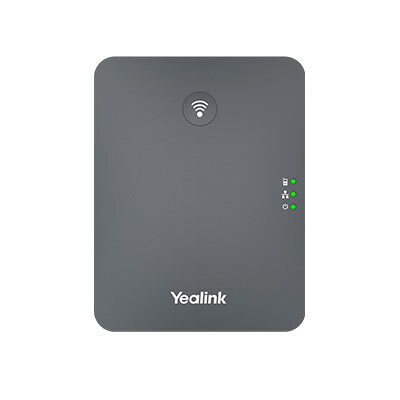
Yealink DECT range: The W52P and W56P are discontinued legacy packages. Yealink identifies W73P as the W52P's current replacement (entry point: one base station, one handset) and W76P as the W56P's current replacement (uses a W56H handset; both W73P and W76P support up to two simultaneous calls per handset). The W60P was discontinued in September 2022; Yealink recommends W76P as its replacement. Yealink DECT bases are supported by most AU cloud phone system companies, and the handsets have good audio quality for mobile environments.
Grandstream DECT range: The DP750 base station (~$80-110 AU) paired with DP720 handsets (~$85-100 AU each) is the main Grandstream DECT option. The DP750 supports up to five handsets, ten SIP accounts and five concurrent calls per DECT system. The per-handset pricing can work out cheaper than Yealink for larger cordless deployments, but setup is less turnkey, particularly with AU hosted providers.
For most Australian small businesses needing 1-3 cordless handsets, Yealink DECT is the simpler choice. For larger cordless deployments, compare the total base-and-handset cost at the required capacity and confirm provider provisioning support; value varies by configuration and seller.
Which Brand Is Right for Your Business?
The answer depends on three factors: how your phones will be provisioned, your budget, and the scale of your deployment.
Choose Yealink if...
You're using an Australian cloud phone system company. Yealink's auto-provisioning support with Australian platforms is the single biggest practical reason to choose it. If Maxotel, or another AU specialist provider, is supplying and configuring your phone system, Yealink phones will be provisioned remotely with minimal effort on your part. That's a meaningful operational advantage, especially if you have limited technical confidence.
You're deploying through an MSP or IT provider. Managed service providers working in the Australian market have built their provisioning tools around Yealink because it's what their clients expect. Ask your MSP whether it has a maintained template for the exact Yealink model and PBX you plan to use. Switching to Grandstream creates work for them and potentially delays your deployment.
You need the most consistent experience across a mixed deployment. If you're rolling out 10-20 phones of different models across an office, Yealink's consistent firmware behaviour and AU provider support makes management simpler over time.
Choose Grandstream if...
You're self-managing a SIP deployment and budget matters. If you're running FreePBX or 3CX yourself and you're comfortable entering SIP credentials manually, Grandstream is not consistently cheaper; compare current model-specific prices, required features and provider support across the whole deployment.
You need ATAs for legacy analog devices. Grandstream's HT series ATAs are well-regarded and cover use cases (fax machines, door intercoms, legacy analog handsets) that Yealink doesn't address as directly. If your deployment includes analog endpoints alongside SIP phones, Grandstream's broader ecosystem is an advantage.
You're deploying a larger cordless setup on a budget. For 5+ cordless handsets where cost per handset matters, Grandstream's DP series can undercut Yealink meaningfully.
What About Cisco and Poly?
Both Cisco and Poly (formerly Plantronics) produce IP phones widely used in enterprise environments. They are significantly more expensive than Yealink or Grandstream at comparable feature levels. AU pricing varies substantially by reseller, firmware/provisioning variant and service bundle; compare like-for-like current quotations rather than assuming a fixed $200 to $400 premium.
For most Australian SMBs, there is no feature justification for that price difference. Cisco and Poly make sense when you're deploying into an existing Cisco UCM or Poly voice infrastructure, or when enterprise-grade support contracts are a requirement. For 1-50 seat deployments, compare exact supported models, required integrations, lifecycle, support terms and current quotations; cost and suitability vary. See our guide to the best SIP desk phones for Australia for a full market overview.
Yealink: Pros and Cons
Pros
- Best provisioning support with Australian cloud phone system companies
- Consistent firmware quality and update cadence
- Wide product range from budget to premium, all using similar admin interface
- Strong MSP ecosystem in Australia, templates and support readily available
- Conference and DECT phones well-integrated with the desk phone range
Cons
- Pricing varies by model and seller; compare current like-for-like quotations.
- Limited ATA range for connecting legacy analog devices
- Premium T5x models add up quickly in a larger deployment
Grandstream: Pros and Cons
Pros
- Pricing varies by model and seller; Grandstream is not consistently cheaper at every tier.
- Broader product ecosystem: ATAs, IP cameras, UCM PBX appliances
- Good codec support including G.726 at budget tier
- Competitive DECT range for larger cordless deployments
- UCM series is an option if you want an all-Grandstream deployment
Cons
- Auto-provisioning templates less available with AU cloud phone system companies
- More manual configuration required compared to Yealink
- Firmware cadence and support life vary by model; check the exact model's release notes and published support horizon.
- Less common in AU managed service provider toolkits
What Most Businesses Get Wrong When Buying IP Phones
Mistake 1: Buying phones before confirming provider compatibility. Both brands are SIP-compatible, but your provider's provisioning support determines how easy setup actually is. Buy phones your provider already supports. Calling your provider with a Grandstream phone they've never configured before means slower setup and more support calls. Ask before you buy.
Mistake 2: Starting with phones instead of starting with the phone system. The phone is the last decision, not the first. Confirm your cloud phone system company, understand your SIP platform, and then choose handsets that are confirmed to work with that platform. Buying handsets first and then figuring out the service is a common path to frustration.
Mistake 3: Buying grey imports or refurbished phones without checking firmware status. Some cheaper or refurbished phones may have outdated firmware or prior provisioning. Verify the exact model and firmware against your provider's recommendations before deployment. Buy from an authorised Australian reseller and verify the firmware version matches your provider's recommendations before deployment.
Australian Reality: What You Need to Know Before Buying
Australia's NBN migration has disconnected many legacy copper phone services, but copper PSTN services still remain in some areas, including parts of the Fixed Wireless and Sky Muster footprints. The shutdown was not completed nationally in 2025. If an analogue handset is connected to a router's phone or voice port, it may be using an ISP-supplied VoIP service; configuration and control depend on the provider and router. A Yealink or Grandstream SIP phone connects differently: via RJ45 Ethernet to a SIP platform, completely separate from the ISP's ATA port.
NBN quality matters. Both brands deliver excellent audio on a stable NBN connection. FTTP is generally more reliable than copper-based FTTN and FTTC connections; actual VoIP performance also depends on the provider network, premises equipment and local conditions. FTTN introduces copper in the last mile and is more variable. FTTN's copper last mile can contribute to instability, but call-quality faults should be diagnosed across the NBN service, local network, provider configuration and handset before assigning a cause. See our NBN VOIP setup guide for diagnosis steps.
Power outages. Both Yealink and Grandstream SIP phones require power to function. PoE (Power over Ethernet) models draw power from the network switch. If your switch is plugged into mains power and the power goes out, so does your phone. A UPS (uninterruptible power supply) on your switch and router keeps phones operational during brief outages. For critical reception desks, this is worth factoring into your setup.
000 emergency calling. Australian emergency-calling obligations primarily apply to carriers and carriage service providers, which must provide access to 000 and carry the most precise location information available. Confirm that your specific VoIP service supports 000 and that your provider holds the correct service-location details.
Warranty and support in Australia. Yealink's APAC limited warranty specifies 12 months for its SIP-phone ranges. Grandstream warrants certified partners for at least one year, but end-user warranty coverage and process depend on the supplying partner or reseller. Yealink's warranty process is generally handled through the reseller. Grandstream's manufacturer warranty is administered through certified partners; end users should contact the reseller or certified partner that supplied the phone. If you purchase through your business phone company (which many do), the provider often handles warranty replacement directly. Check what your provider offers before buying phones independently.
Your Next Steps
Before you order any phones, work through this checklist:
- Confirm your business phone company or SIP platform first. Don't buy phones until you know what service they'll connect to.
- Ask your provider which phone brands and models they support with auto-provisioning. This one question will shortcut most of the Yealink vs Grandstream decision.
- Match the phone tier to the role: budget T31P or GXP1628 for basic call-takers, mid-range T46U or GXP2160 for office desks, premium T57W for reception and busy desks.
- If you need cordless phones, confirm DECT base station compatibility with your SIP platform before buying.
- Buy from an authorised AU reseller to ensure warranty, correct firmware, and local support.
- If you're unsure about the full setup, talk to a specialist business phone company. Ask whether handset configuration is included in onboarding and whether any setup or provisioning fee applies.
For reception desks specifically, the decision between Yealink and Grandstream comes down to display size, BLF key count, and audio clarity. See our dedicated best phone for reception desk guide with Australian pricing and recommendations by call volume.
Both Yealink and Grandstream handsets have broad business phone company compatibility, but provisioning support varies, not all Australian providers support auto-provisioning for both brands equally. Our Phone Compatibility Checker screens your specific model against your provider before you order.
For a hands-on look at the Yealink T33G, see our full review with AU pricing and NBN performance results.

For a detailed look at the Grandstream GXP2170, see our Australian review covering its 48 BLF keys, AU availability, and when to choose it over the newer GRP series.
For entry-level Grandstream deployments, the GRP2602P is the current recommended model. Our Grandstream GRP2602P review covers the GRP series' zero-touch provisioning advantages and a comparison with the Yealink T31P.
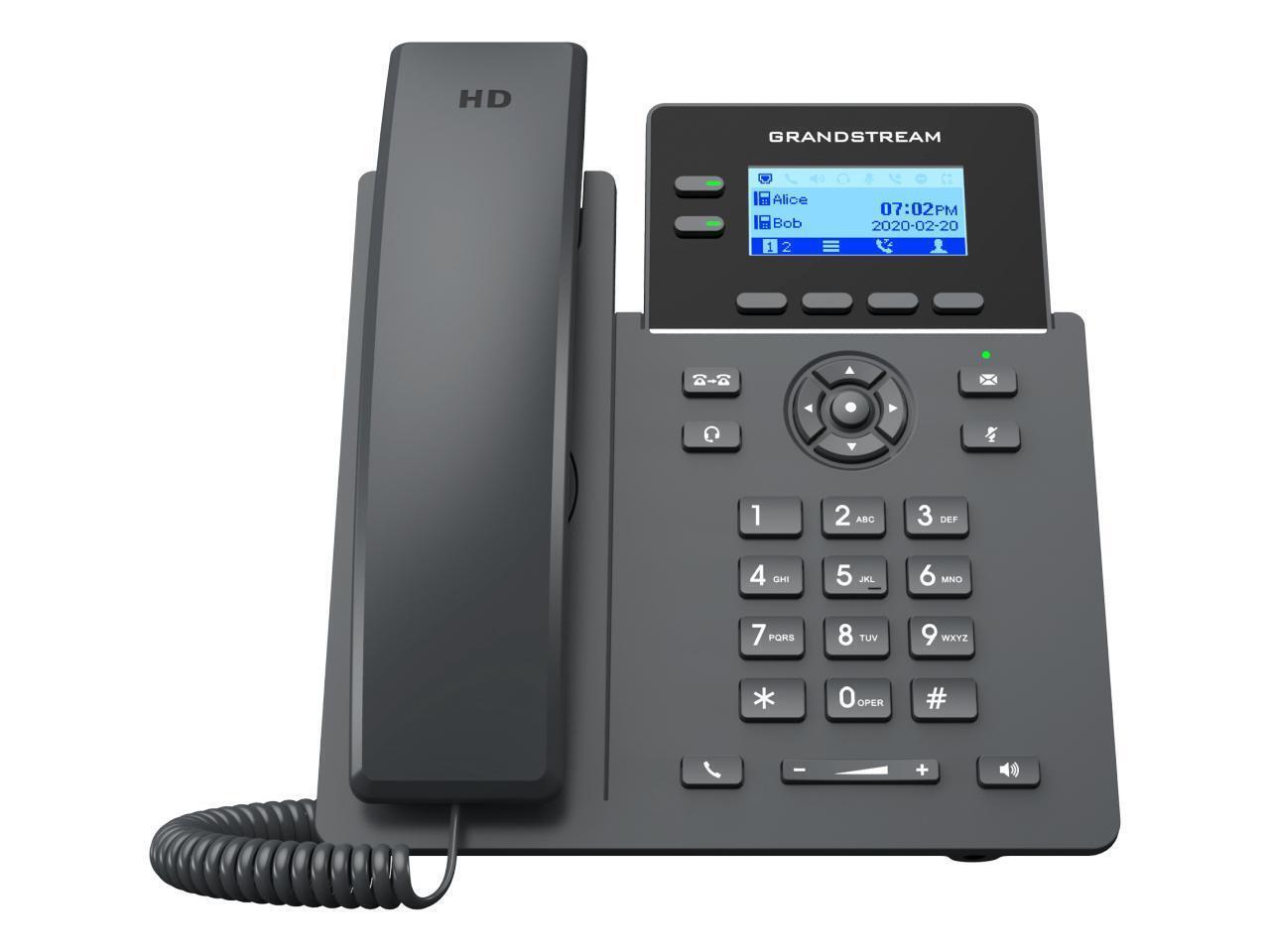
For a deep look at Grandstream's current flagship, see our Grandstream GRP2670 review for Australia, covering the 56 BLF keys, GDMS provisioning, and how it compares to the Yealink T46U.

Once you have decided on a brand and purchased your phones, our new IP phone setup guide covers the setup process applicable to both Yealink and Grandstream, business phone company selection, SIP credential entry, auto-provisioning options, and troubleshooting registration issues specific to Australian NBN environments.
Hardware compatibility matters, but so does the VOIP provider that your phones connect to. Not every AU provider supports auto-provisioning for both ranges. For a confirmed list of AU providers that work with both Yealink and Grandstream phones, see VOIP Providers That Work With Yealink and Grandstream Phones in Australia.
Browse the full Yealink phone range for current Digiphone pricing and stock.Can I mix Yealink and Grandstream phones on the same VOIP system?
Yes. Both brands support SIP, but registration and feature compatibility depend on the exact model, firmware, platform and provider policy. Confirm each model against the provider's supported-device list before mixing brands. You can have a Yealink T46U at the reception desk and Grandstream GXP1628s at other desks if you want. The practical consideration is provisioning: your provider may have auto-provisioning templates for Yealink but not Grandstream, meaning the Grandstream phones require manual configuration. That's manageable but adds time. If your provider supports both, mixing is fine.
Do I need to buy phones from my business phone company, or can I buy them separately?
You can buy separately from an authorised reseller, but verify the specific seller-especially on a marketplace-against the manufacturer's current authorised-reseller information. You don't need to buy from your provider. However, some providers include phones as part of a hardware-plus-service bundle, and those bundles sometimes offer pre-configured phones at a competitive total cost. Check your provider's pricing before assuming buying separately is cheaper. The main thing is to confirm the model is on your provider's supported handset list before ordering from a third party.
Are refurbished IP phones safe to buy?
Refurbished phones can work well, but there are risks specific to VOIP handsets. The main one is firmware: a refurbished phone may have an old firmware version that is incompatible with your provider's platform, or may have been provisioned with another provider's settings that are difficult to factory-reset. If you buy refurbished, factory-reset the phone before use and check that the firmware version matches your provider's recommendations. Grey-market or ex-US phones may also have different firmware builds that behave differently with Australian SIP platforms. Buy from a reputable AU refurbisher if possible.
What warranty do I get on Yealink and Grandstream phones in Australia?
Yealink specifies a 12-month APAC limited warranty for SIP phones. Grandstream's manufacturer warranty is provided to certified partners, so end-user warranty duration and remedies must be confirmed with the Australian seller. Some AU resellers offer extended 24-month warranty as a purchase option. Australian Consumer Law consumer guarantees may continue beyond an express warranty where the purchase is covered; duration and available remedies depend on the circumstances. If you purchase phones through your business phone company as part of a service bundle, check whether the provider handles warranty replacement directly, which is often faster than going through the manufacturer.
What if my provider only supports one brand?
Work with that. If your cloud phone system company has built their provisioning and support around Yealink, insisting on Grandstream creates friction for everyone. The phone brand matters far less than the quality of your service provider and the reliability of your NBN connection. If you have a strong preference for a brand your provider doesn't support, ask them what the process is for manual configuration. Most providers can make it work, but it may not be included in standard support.
Which Yealink or Grandstream model is best for a small reception desk?
For a small reception desk handling moderate call volume, the Yealink T46U (~$260-310 AU) is the most common recommendation. It has a clear colour display, supports up to 16 lines, and has BLF keys for monitoring staff availability. If call volume is high and the receptionist needs to manage multiple simultaneous calls, the Yealink T57W (~$400-470 AU) adds a touchscreen that speeds up call handling. For a budget reception setup, the GXP2160 is a capable alternative at a lower price, but the T46U is the more practical daily driver for most setups.
Not Sure What Phone Setup Your Business Needs?
Try the Phone System Sizing WizardNot sure which phone system is right for your business?
Get a Free Recommendation